Getting started
Desktop (WinForms)
1. Install
| Method | Steps |
|---|---|
| NuGet | Project → Manage NuGet Packages → install Nox.Grid → build |
| DLLs | Put Nox.Grid.dll, Nox.Grid.WinForms.dll and Nox.Grid.Design.dll in one folder and reference all three |
- Target: WinForms projects on .NET Framework 4.7.2 or later (VB.NET, C#)
Nox.Grid.Design.dllis for the Visual Studio designer only. Do not ship it with your application (license section 4). See Deployment.
2. Drop it on a form
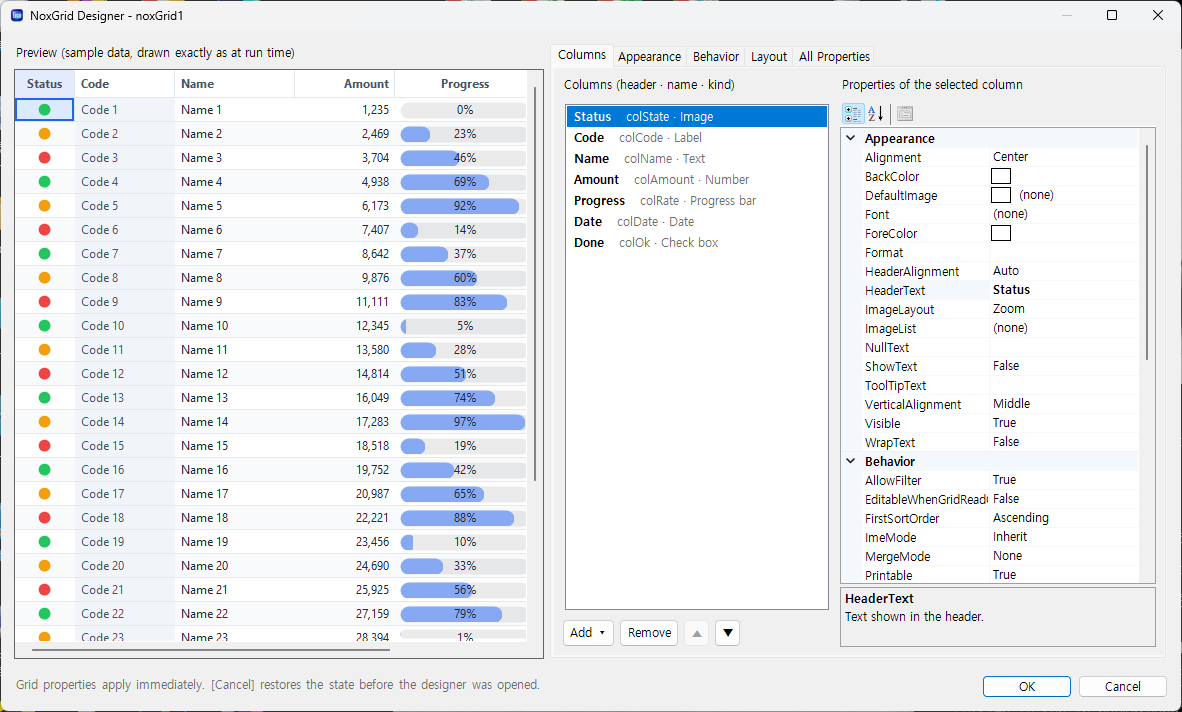
After a build, NoxGrid and NoxGridBook appear in the toolbox. Drop one on a form, open the smart tag (▸) → NoxGrid 디자이너... (NoxGrid designer) and set up columns, appearance and behavior.
3. Code
NoxGrid1.Rows.Add("S00001", "Emma Hall", Date.Today, 1500D)
NoxGrid1.Cells(0, "colName").BackColor = Color.Gold
NoxGrid1.SetFormula(5, "colAmount", "=SUM(D1:D5)")
NoxGrid1.ExportToExcel("result.xlsx")
Web
1. Install
npm install @novnox/grid # React: @novnox/grid-react, Vue: @novnox/grid-vue
Without a build tool, include the single file nox-grid.iife.js (window.NoxGrid, window.NoxGridBook, window.NoxFormula).
<script src="nox-grid.iife.js"></script>
2. First screen
The host element must have a height.
<div id="grid" style="height: 500px"></div>
import { NoxGrid } from '@novnox/grid';

const grid = new NoxGrid(document.getElementById('grid')!, {
  locale: 'en',              // grid UI text in English (default 'ko')
  colorScheme: 'modern',
  rowCount: 100,
  columns: [
    { name: 'name', header: 'Name', required: true },
    { name: 'dept', header: 'Department', kind: 'combo', items: ['Internal', 'Surgery'] },
    { name: 'fee', header: 'Fee', kind: 'number', format: '"$"#,##0' },
  ],
});
grid.setValue(0, 'name', 'Emma Hall');
grid.setFormula(99, 'fee', '=SUM(C1:C99)');
Server (ASP.NET Core)
dotnet add package Nox.Grid.Server
app.MapPost("/api/import", (IFormFile file) => Results.Ok(NoxExcel.Read(file.OpenReadStream()))).DisableAntiforgery();
app.MapPost("/api/export", (NoxWorkbookData b) => Results.File(NoxExcel.ToBytes(b), NoxExcel.ContentType, "grid.xlsx"));
The parameter name file must match the form field name the browser sends (form.append('file', …)).
In the browser, load with grid.loadWorkbookData(json) and send with grid.toWorkbookData().
License key (free)
NoxGrid 1.x is free for individuals and companies (no time limit, commercial use allowed). Enter your name and email at novnox.dev/license and the key is issued instantly.
| Edition | Register |
|---|---|
| Desktop | Smart tag on the NoxGrid → 사용권 키 등록... (Register license key), once per development computer. In code: NoxLicense.SetKey(key) at startup uses the key while the program runs (nothing is saved); NoxLicense.Register(key) saves it on that computer like the smart tag |
| Web | import { setLicenseKey } from '@novnox/grid'; setLicenseKey(key); If you enter domains when requesting the key, it is valid only on those domains |
Your applications work without a key. The WinForms Edition shows a small notice only in the designer; the Web Edition shows one only on non-development hosts (not on localhost).
Samples
| Sample | Location |
|---|---|
| VB.NET WinForms (VS2019 or later) - sales order management | samples/Demo |
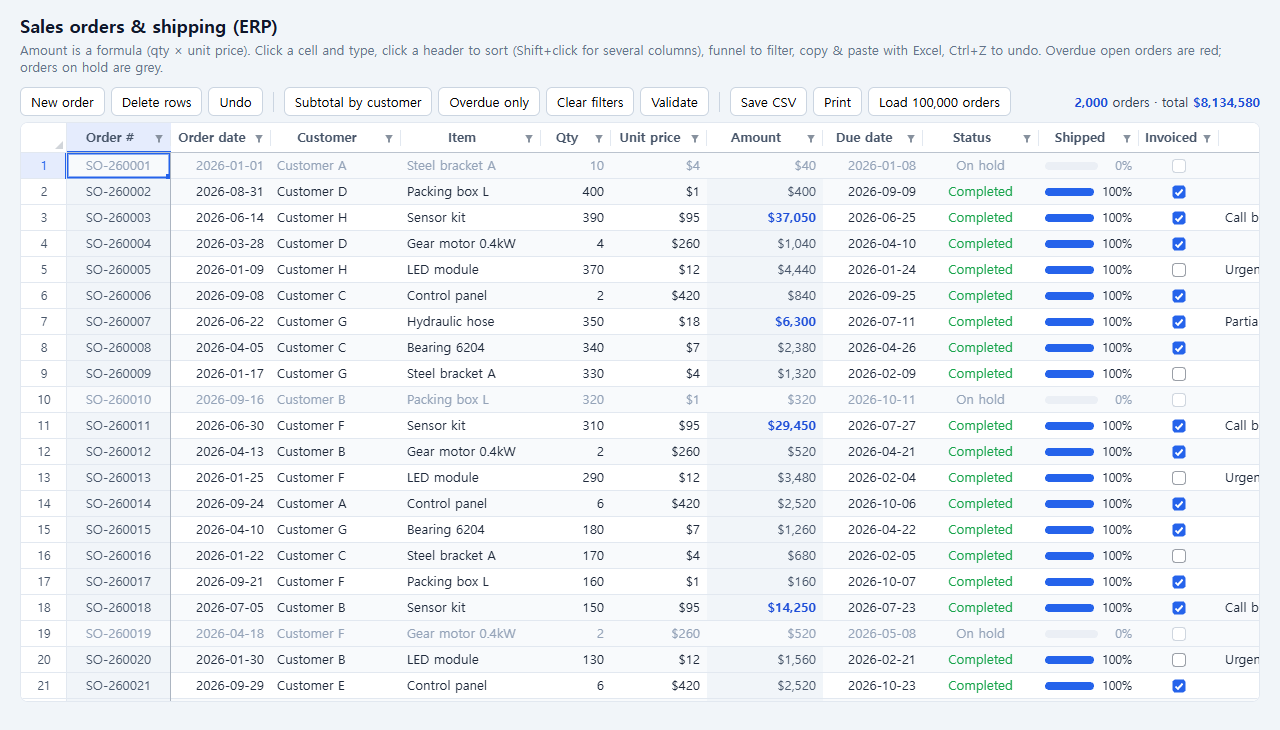
| Web - patient visits, formatting and formulas, workbook and subtotals | web/examples/index.html, features.html, book.html (add ?lang=en) |
| React · Vue | web/examples/react.html, vue.html |
| ASP.NET Core (Excel, CSV) | samples/AspNetCore (dotnet run → http://localhost:5099) |